Temporary Projects in Visual Studio 2005
A hidden Visual Studio 2005 option lets you create in-memory throwaway projects that never touch disk or clutter your recent projects list.

Recently while poking around in Tools –> Options of Visual Studio 2005 I found a setting that allows for the creation of temporary projects. I wish I had found a long time ago, yet for some reason I breezed right over it.
The Visual Studio 2005 Temporary Project
The temporary project will be created in memory and will not be persisted to the disk. Another benefit is that it will not show up in your recent project list. If you decide to close the project Visual Studio 2005 will prompt you with this dialog box:
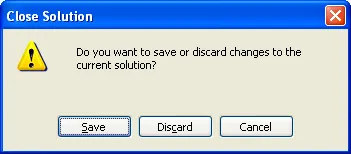
Supported Project Types
All C#, VB.NET, and J# projects are supported. If you have the Web Application Project installed, you can even create throw away web projects projects too.
How To Enable
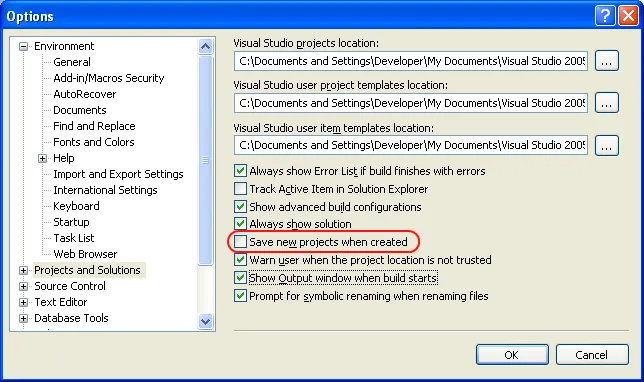
Go to Tools –> Options and uncheck “Save new projects when created” as seen below.
See this MSDN topic for more information.



