Presentation Settings for Visual Studio
A downloadable Visual Studio settings file with 16pt fonts everywhere, so your audience can actually read your code during a talk.

Unfortunately most presenters do not think about font size until about 10 _after_ they show code to an audience. Its usually followed by the confirmation question from the presenter that goes something like this: “Hey, can you guys see the code?”
Most of the time the answer is… “No, bigger font please … ”. 2 minutes later the font is larger, but usually its only the code editor window. What about the solution explorer, output window, menu’s, etc? Nope, it is still an 8pt font that strains your audiences eyes.
Big Font to the Rescue
I have a Visual Studio Settings file that I call “WowThatsABigFont.vssettings” that I use when I’m presenting. I’m going to attach to this post so you can use it in the future.
Here is what it looks like (click to see full res picture):
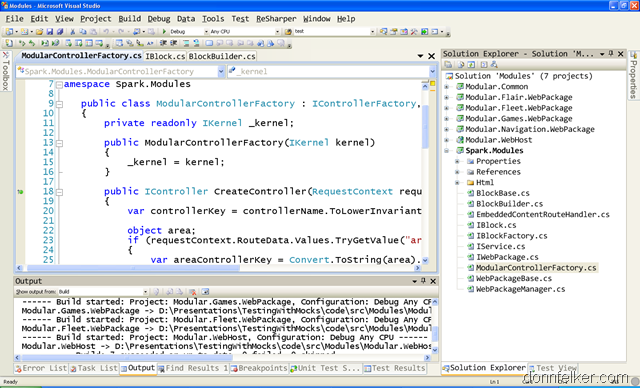
These settings are at 16 pt Lucinda Console (for most everything) and 14pt Consolas for the environment.
You have no idea how much this improves your presentation. People can read the screen! This coupled with ZoomIt makes it super easy on your audiences eyes.
Enjoy.
Download
WowThatsABigFont.vssettings (~375kb)


