In this post we’re going to cover what it takes to implement a PUT into our REST Service that we defined in Part 1 of this series.
First of all, what is the POST HTTP verb for? To understand this lets take a look at how a HTTP Get call is formed from an HTTP Header perspective. A GET request fetches data from a web server based solely on a URL value and a set of HTTP headers.
HTTP GET Header Example:
GET /index.html?userid=joe&password=guessme HTTP/1.1 Host: www.example.org User-Agent: Mozilla/4.0
In this example the Get requests from a host (www.example.org) with the Mozilla/4.0 type browser and is asking for the index.html page with the query string values userid and password (and their corresponding values).
Now for the HTTP POST… POST request sends additional data to the web server, specified after the URL, the headers, and a blank line to indicate the end of the headers. An example:
At a very simple level – A POST is normally done from a web form. When we fill out a form and send the data the form attribute “method” is set to “post”.
In the previous example we used a simple Gas Price Service. This next service is something a little different. Lets assume that we have a comedy web site that allows users to get “insults” and “save insults”. We are going to use this example, and its called the “Insult Service”. Its a very simple REST service that insults you or your co-workers or anyone else for that matter. Kind of fun to mess around with. This version of the insult service has the following methods:
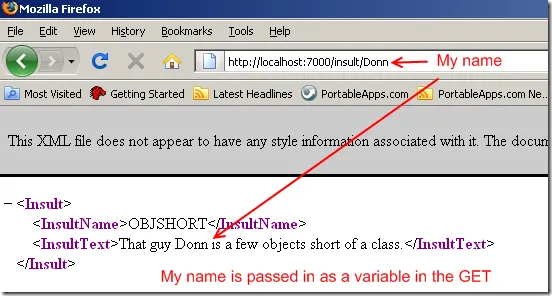
GET: Insult someone (an exact copy of the previous part 1, just in a different context)
In this service contract we are telling WCF that the URITemplate is going to be as such:
/insult/Add/{insultName}/{insultText}
Where {insultName} and {insultText} map to the string values in the “AddInsult” method. To add an insult we’d have a POST request that looks like this:
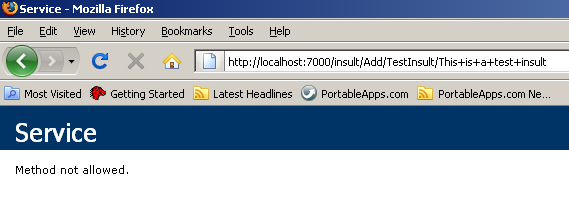
However, if we type this into the Browser window we will get the following:
This is because the web browser by default performs a GET operation on the URI that is posted into the address bar.
So how do we POST? We can either build a web form to do it for us, or we can use a web debugging tool.
Adding a New Insult: The POST
Since we do not have a web front end for this service we need to construct a HTTP POST manually. We can do this with Fiddler. Fiddler is a Web Debugging tool that allows you to inspect HTTP Traffic and construct requests. We’re going to use it for constructing our POST call. (You could also create a simple web form to do this as well).
Constructing the POST:
Install Fiddler
Open Fiddler
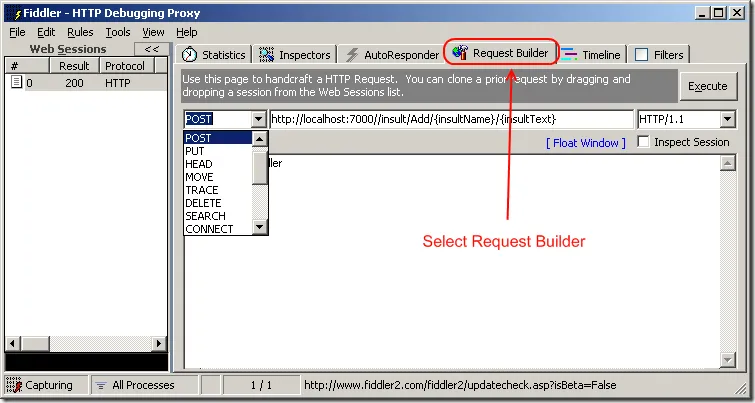
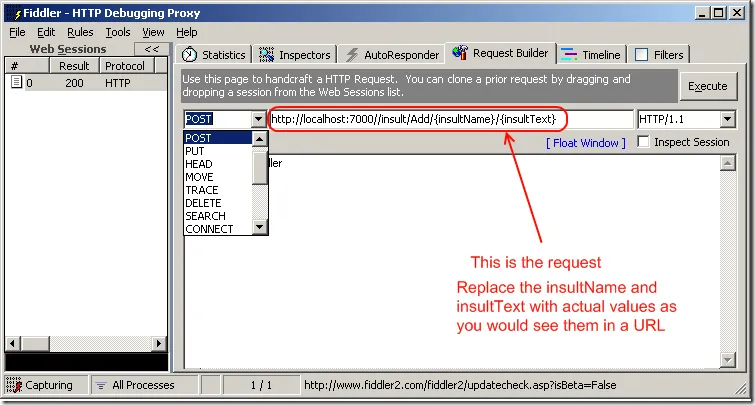
Open the request builder
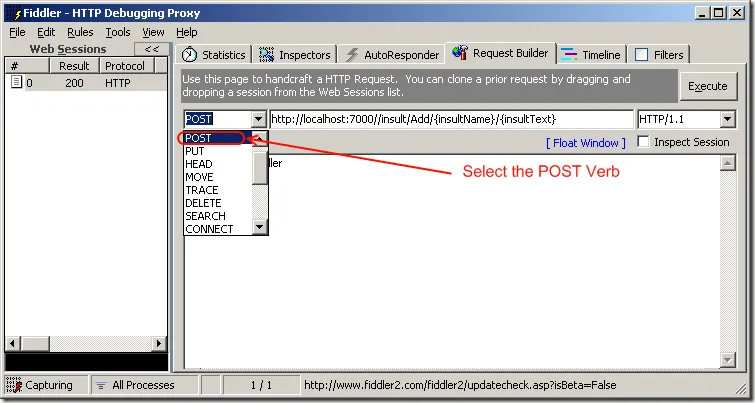
Select Post
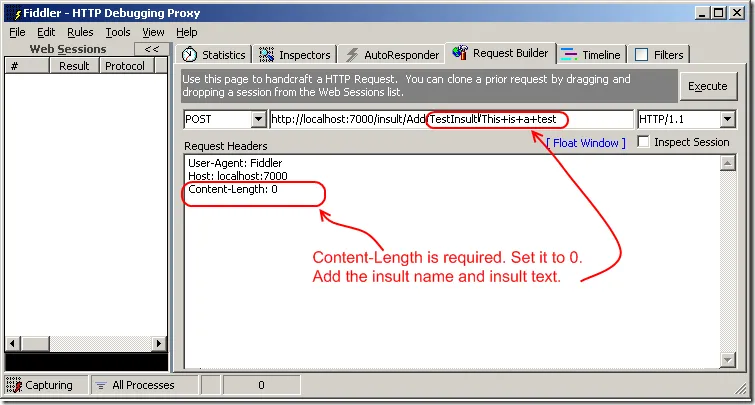
Build the request
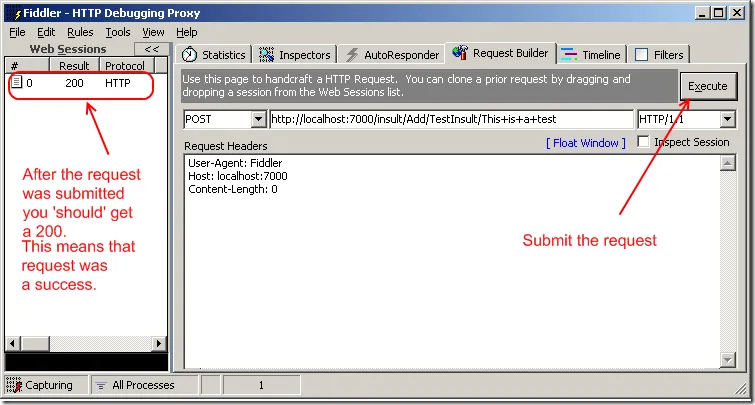
Submit the request
…
3. Open the request builder
4. Select POST
5. Build The Request
Like this:
6. Submit the request
At this point our service has been called and the values have been written to the data repository (db or file, etc).
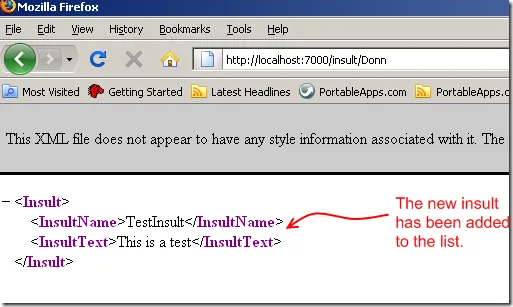
Now lets see if the insult shows up in our service. Lets hit refresh on our GET page a few times to see if it shows up. Which it should.
Conclusion
As you can see, its fairly simple to implement a POST action to add new values to a WCF REST service. This has been done utilizing the WebInvokeAttribute to handle our POST action.
I've spent 25+ years shipping software, writing books, and running my own companies. I write about thinking clearly, working for yourself, and doing real work while AI rewrites the rules. New essays land here every week.