Dagger Open JDK Version Mismatch
Fixing 'not a valid name: <set-?>Provider' in Android Studio - it's a JDK version mismatch between your terminal and Android Studio.

While working on a client project I recent received this error:
An exception occurred: java.lang.IllegalArgumentException: not a valid name: <set-?>Provider
Googling for the error didn’t return any results, so I’m posting the fix here that I got from Philippe Breault (thanks Phil 👍).
There have been some issues filed that match this error here on the Google issue tracker.
The Problem
This error happens because of a version mismatch in Open JDK that is used in the terminal vs the one that is installed in Android Studio.
The Solution
To fix this, you’ll need to set the JDK Location to what the terminal is using.
To find what JDK path your terminal is using (on a Mac), run this command: /usr/libexec/java_home
For me it looked something like this (don’t copy this, its unique to your machine, this is just an example):
/Library/Java/JavaVirtualMachines/jdk1.8.0_221.jdk/Contents/Home
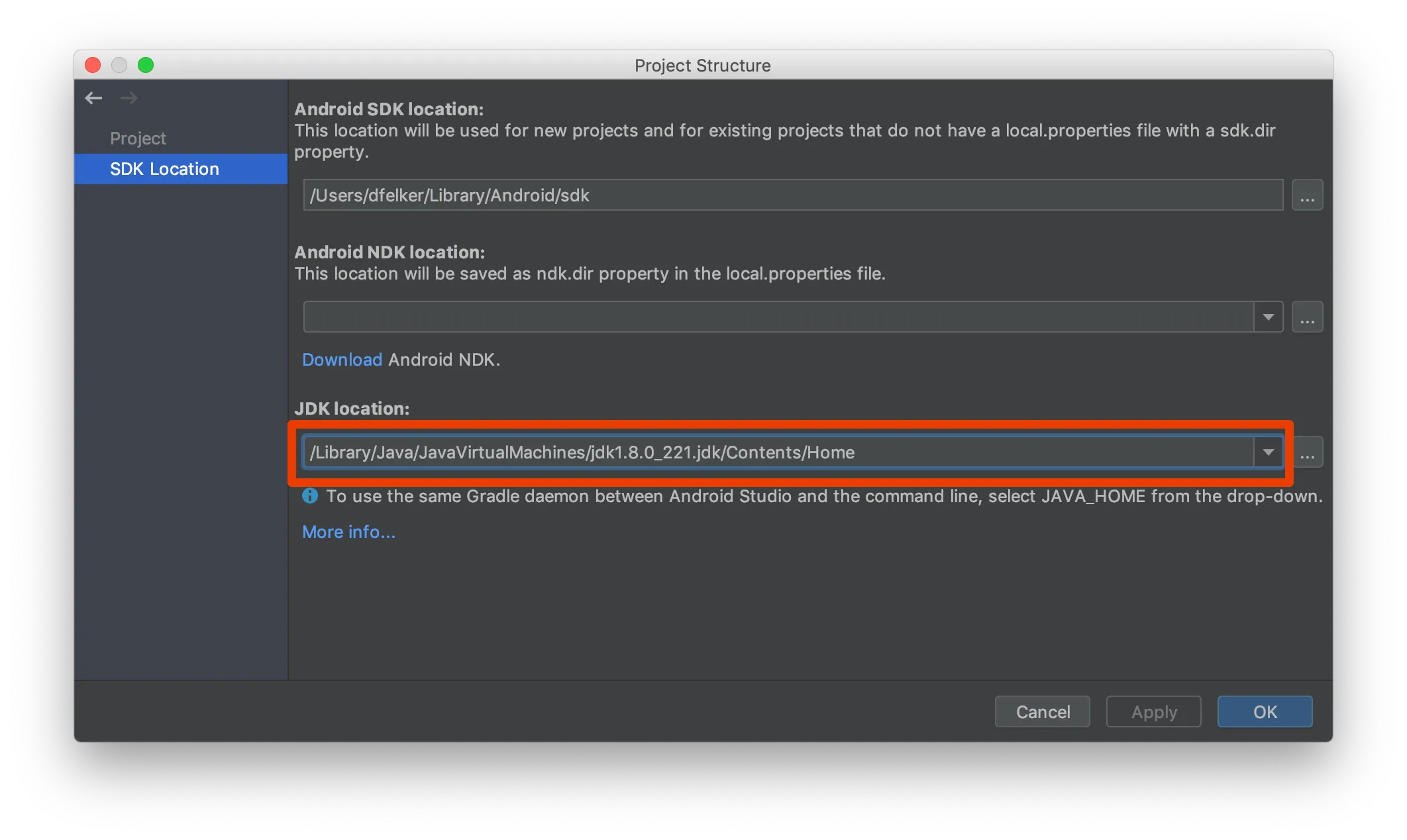
Once you have that you’ll want to open your Android Studio project which is giving you trouble and then press cmd+;to open the Project Structure window:
You’ll want to update the JDK Location above to represent the value that was returned from the terminal ouput (the JDK path above) .
Once you do this I advice cleaning your project and invalidating caches on Android Studio and then rebuilding. At that point your build problems should be alleviated.
Enjoy.


