Cannot Install Programs on Virtual PC
A fix for Virtual PC installs hanging forever after joining a domain: uninstall the Virtual Machine Additions, install your app, then reinstall them.

Our team is having this really odd problem with not being able to install apps in their VPC instances once the app has joined the domain at a client. The error message we get is.
“Please wait while the installer finishes determining your disk space requirements.”
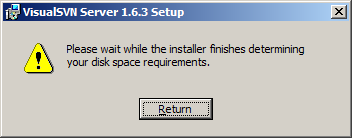
No matter how long you wait, nothing happens. Hmph.
A co-worker of mine discovered a temporary work around to this issue and it involves the following:
- Uninstall the Virtual Machine Add-ons.
- Install your application of choice.
- Reinstall the Virtual Machine Add-ons.
Once you uninstall the add-on’s the installation goes smoothly.


