Android: Escaping Strings in Eclipse
Eclipse has a hidden setting that auto-escapes strings pasted into a literal, so you stop hand-escaping huge JSON blobs for unit tests.

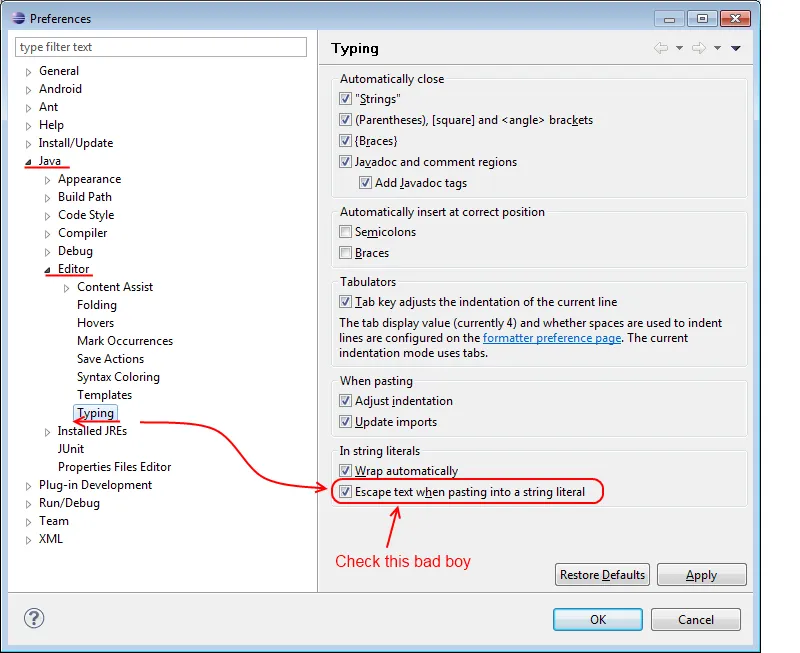
I’m in the middle of writing some unit tests (jUnit) and I’m testing that my parsing/etc is working correctly from a JSON data source. However, this HUGE JSON data structure needs to be escaped. I was spending about an hour escaping this complex JSON string until I said “screw it, there has to be a better way” and then I started poking around in the editor preferences. Eclipse supports escaping strings for you. Here’s where you set this setting:
Preferences/Java/Editor/Typing/ "Escape text when pasting into a string literal"Here’s a screen shot of it. I hope this helps anyone else who’s doing this because I lost a couple of hours just because I didn’t know the option existed (and because its buried).
Click for Larger


